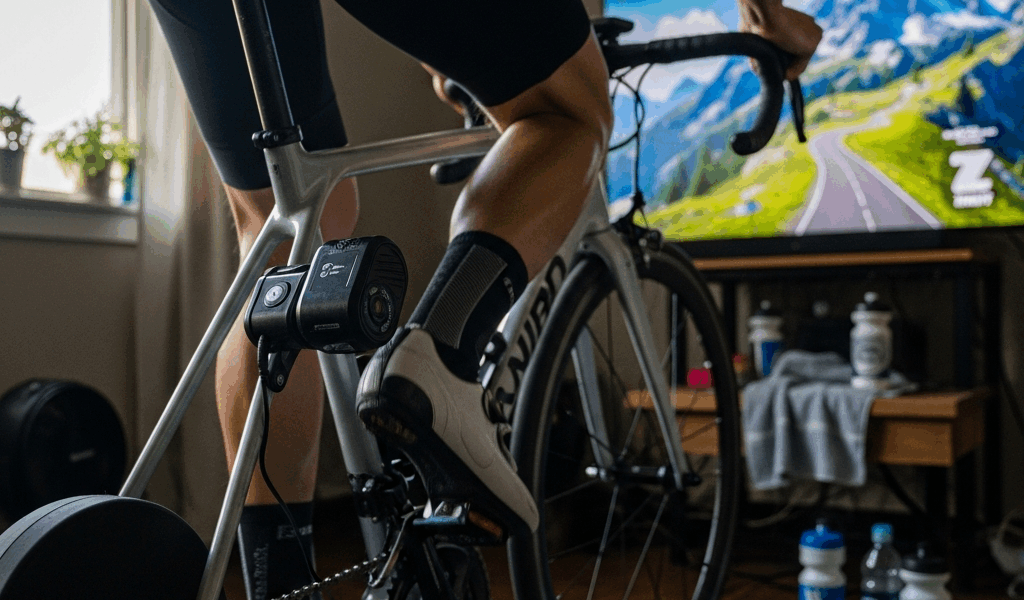
You’re grinding up a virtual mountain in Zwift and your cadence is in the 40s because the trainer is pushing back so hard you can barely turn the pedals. Or maybe you dropped the trainer difficulty to 0% and now hills feel like flats and you’re wondering if you’re even getting a workout. The trainer difficulty setting is the most misunderstood feature in Zwift, and most riders have it set wrong for their goals.
What the Trainer Difficulty Setting Actually Does
The trainer difficulty slider controls how much the trainer changes resistance in response to gradient changes in the virtual world. It does NOT change how much power you produce or how fast you go.
At 100%, a 10% gradient in Zwift sends full resistance to your trainer — the pedals feel exactly like a 10% climb outdoors. At 50% (the default), that same 10% gradient only sends 5% resistance to the trainer. At 0%, the trainer stays at a constant resistance regardless of what the road does — hills and flats feel the same.
The crucial point most riders miss: your power output and speed are not affected by this setting. If you push 250 watts at 50% difficulty, you push 250 watts and go the same speed as someone at 100% difficulty pushing 250 watts. The difference is purely how that 250 watts feels — at 100% you’re grinding in a low gear at low cadence on steep sections, at 50% you’re spinning at a more comfortable cadence with moderate resistance.
The setting changes the feel, not the outcome. You’re still doing the same work.
Why Most Riders Should Not Use 100%
At 100% on a steep Zwift climb (12%+ gradient), many trainers push resistance to the point where your cadence drops to 40-50 RPM or lower. Outdoors, you’d stand or shift to a lower gear. On a trainer with a limited cassette range, you may simply run out of gears. The result: grinding at dangerously low cadences that stress your knees and don’t produce better training stimulus than spinning at 75-85 RPM with moderate resistance.
Some trainers also can’t accurately simulate steep gradients at 100%. A trainer rated for 12% maximum gradient that receives a 15% signal from Zwift at 100% difficulty will max out and feel flat at the top of its range — an inaccurate and frustrating experience.
The exception: riders with high-end direct-drive trainers (Wahoo KICKR, Tacx NEO) that simulate 20%+ gradients and have enough cassette range to maintain reasonable cadence. Even then, most experienced riders prefer 50-75% because the training benefit of low-cadence grinding on steep virtual grades is minimal compared to maintaining smooth, high-cadence effort.
The Right Setting for Your Riding Goal
Racing and competitive riding (60-75%): You want to feel gradient changes — attacking on a climb and recovering on a descent are tactical elements of Zwift racing. But 100% creates cadence drops that cost you power at exactly the wrong moment. Most competitive Zwift racers run 50-75%.
Fitness and structured training (50%): The default 50% is well-chosen for general fitness riding. You feel the hills without being crushed by them, and you maintain the kind of steady cadence that produces effective training adaptation. If you’re following a Zwift training plan, 50% lets the workouts function as designed.
Beginners (25-50%): Start low. Getting comfortable on the trainer and building fitness is more important than simulating realistic gradients. As your fitness improves and you develop a feel for gearing and cadence management, increase the setting gradually. There’s no shame in running 25% while you build your base.
Recovery rides (25-30%): On easy days, lower the difficulty so you can maintain a comfortable spin without involuntary power spikes on short climbs. Recovery rides should be smooth and controlled — high trainer difficulty works against that.
Smart Trainer vs Wheel-On — Does the Setting Change?
Smart direct-drive trainers (Wahoo KICKR, Tacx NEO, Saris H3, Elite Direto): These handle the full range of trainer difficulty settings well because they control resistance directly at the drivetrain. The resistance changes are smooth and accurate. Run whatever difficulty percentage feels right for your goals.
Wheel-on smart trainers (older Wahoo SNAP, CycleOps): These control resistance through a roller pressing against the tire. At high difficulty settings, rapid resistance changes can cause tire slip, especially if tire pressure isn’t dialed in. If you’re on a wheel-on trainer and experiencing tire slip on steep virtual grades, drop the difficulty to 40-50% and increase tire pressure to the maximum recommended.
“Classic” (non-smart) trainers with speed sensors: The trainer difficulty setting has no effect on these setups. The trainer provides fixed resistance through a manual adjustment, and Zwift calculates your virtual speed from cadence/power data. If you’re on a classic trainer, the slider literally does nothing.
Bottom line: unless you’re racing at a competitive level with a high-end direct-drive trainer and a wide-range cassette, leave the setting at 50%. It’s the default for a reason — it produces the most comfortable, effective training experience for the widest range of riders and equipment.



Stay in the loop
Get the latest cycle tech trends updates delivered to your inbox.