Garmin bike computers have gotten complicated with all the models and feature sets flying around. As someone who’s used multiple Edge units over the years, I learned everything there is to know about what actually matters in these devices. Today, I will share it all with you.
That’s what makes Garmin endearing to us tech-focused cyclists — they keep adding features that serious riders actually want.
The Edge Lineup
Probably should have led with this section, honestly — picking the right model saves money and frustration.
Edge 130: Compact, essential features. GPS, GLONASS, basic navigation. Perfect for those who want data without complexity.
Edge Explore: Large easy-read screen, preloaded maps. Built for touring and recreational riding.
Edge 530: Mid-range with solid training features. Strava Live Segments, structured workouts. Sweet spot for most serious cyclists.
Edge 830: Touchscreen version of the 530. Dynamic performance monitoring, better mapping. Worth it if you hate buttons.
Edge 1030: Top tier. Largest screen, comprehensive everything. For those who want the best regardless of price.
GPS and Navigation
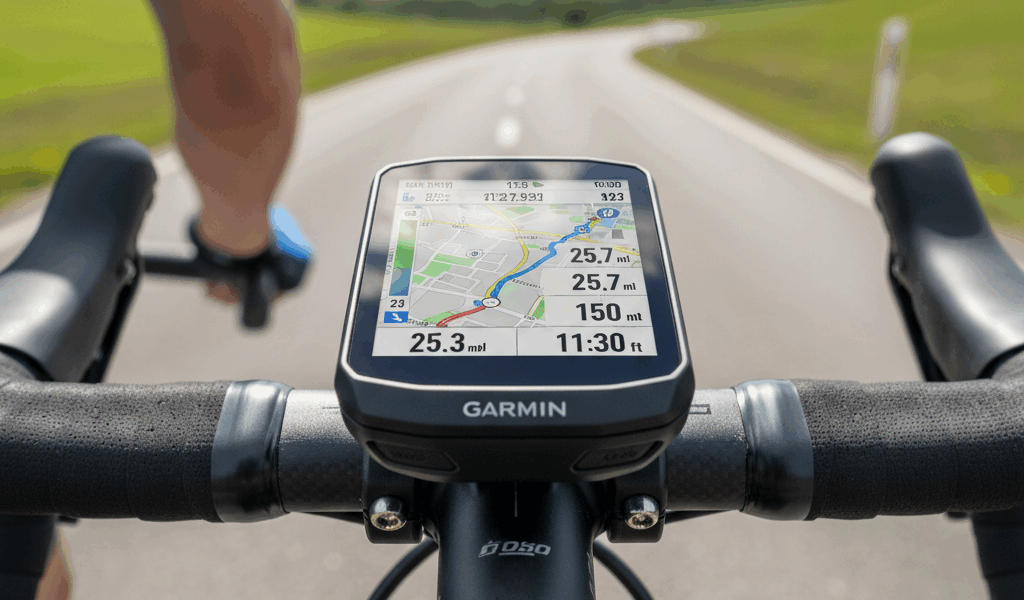
But what about navigation? In essence, all models track routes via GPS, GLONASS, and Galileo. Higher models add preloaded maps and turn-by-turn directions. Custom routes work through Garmin Connect or third-party apps.
Performance Metrics
I’m apparently in the camp that uses every metric available. Frustrated by training without data in the past, I now track speed, distance, time, heart rate, cadence, and power religiously.
Advanced models add VO2 max estimates, recovery time, and training load. These help optimize when to push hard and when to rest.
Connectivity Options
ANT+ and Bluetooth connect heart rate monitors, cadence sensors, and power meters. Smartphone sync brings notifications, weather, and live tracking. Garmin Connect offers community features, route planning, and data analysis.
Battery Life Reality
Edge 130: around 15 hours. Edge 530: roughly 20 hours. Edge 1030: 20 hours plus optional extended battery pack. Real-world usage varies with GPS accuracy settings and connected sensors.
Mounting Options
Standard mount: Rubber bands or zip ties. Simple and secure.
Out-front mount: Positions computer ahead of bars. Easier to read while riding, better aerodynamics.
Software Integration
Garmin Connect handles uploads, analysis, and route creation. Syncs with Strava, TrainingPeaks, and Komoot for additional features. Strava Live Segments provide real-time comparisons on your favorite roads.
Customization
Data screens show what you want to see. Pre-set layouts or fully custom options. Connect IQ store adds widgets and apps. Weather forecasts, specialized training tools, and more available for download.
Safety Features
Incident detection: Detects crashes and alerts emergency contacts. Peace of mind for solo rides.
LiveTrack: Others follow your ride in real time. Requires connected phone for data.
Price Reality
Entry models start around $200. Mid-range runs $300-400. Top tier exceeds $600. Each tier reflects features and capabilities — spend based on what you’ll actually use.
Maintenance
Update software regularly for new features and fixes. Keep the device clean. Avoid extreme temperatures. Check mounts periodically for secure attachment.
Making the Call
Match the model to your actual needs. Beginners do fine with basic units. Serious trainers want performance analytics. Tourers need navigation features. Test before buying if possible. The right Garmin enhances every ride — the wrong one just frustrates you.