Is Zwift Actually Worth the Money? My 3-Year Experience
When I first heard about Zwift, my immediate reaction was skepticism. Pay money every month to ride my bike… indoors… looking at a screen? That sounded ridiculous. But after three winters of using it, I have a lot of thoughts. Some good, some frustrating, but mostly I think it is worth understanding what you are really getting into before signing up.
Let Me Be Clear Upfront: Zwift Is Not Free
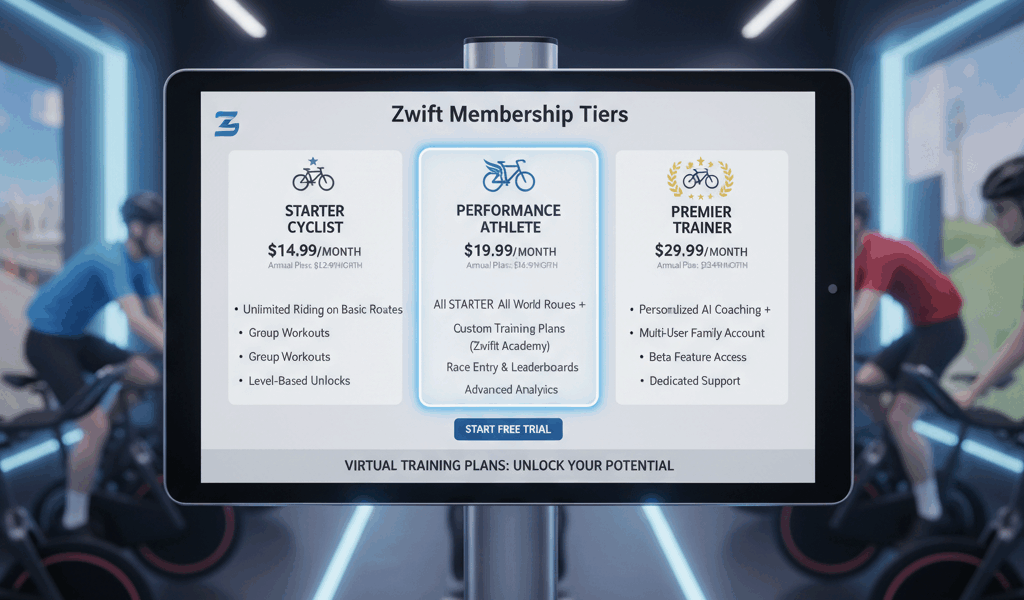
I see this question constantly in cycling forums – is Zwift free? The short answer is no. They charge 15 bucks a month for a subscription, and honestly that adds up. Over the course of a year, you are looking at 180 dollars just for the app. That is before you buy any of the hardware you need to actually use it.
They do offer a 7-day free trial for new users though. My advice? Actually use all 7 days before deciding. Do not just try it once and think you get it. Ride it during the week when you are tired after work, see how it feels then. That is the real test.
The Hardware Situation Gets Expensive Fast
Here is where Zwift gets complicated. You cannot just install the app and start riding. You need some hardware, and the costs add up quick.
At minimum you need:
- A bike (obviously)
- An indoor trainer – I started with a basic wheel-on trainer for about 200 bucks
- Something to run the app – phone, tablet, laptop, or Apple TV
But here is the catch – if you want the full experience, you probably want a smart trainer. These things automatically change resistance to match the virtual terrain. Going up a hill on screen? The trainer gets harder to pedal. It sounds gimmicky but honestly it makes the experience way more immersive.
The problem? Smart trainers start around 500 dollars and good ones are closer to 800-1200. My Wahoo Kickr set me back about 900 bucks. Do I regret it? No, not really. But I wish someone had been upfront with me about the total cost before I got started.
Additional Gear That Actually Helps
Beyond the trainer, there are some other things that make the experience better:
- A fan – absolutely essential unless you enjoy sitting in a puddle of your own sweat. I use a big box fan and point it right at my face
- Heart rate monitor – helps Zwift track your effort more accurately
- A mat under your trainer – protects your floor from sweat drip. Trust me on this one
- Towel – you will need it more than you think
Some people go crazy with screen setups and dedicated pain caves. I just use my iPad propped up on a music stand. Works fine.
What It Is Actually Like to Use
So after all this setup, is Zwift actually fun? Here is my honest take.
The graphics are not going to win any video game awards. It looks like a game from maybe 2010, not cutting edge. But you know what? That stops mattering pretty quickly once you are actually riding. You get absorbed in the experience.
What makes it work is the social element. Seeing other riders around you, even though they are just avatars, makes it feel less lonely than staring at a wall. You can join group rides, do races, or just pedal around and wave at people. There is something weirdly motivating about it.
The workout programs are actually really good. They have structured training plans designed by actual coaches. I followed their FTP builder program last winter and genuinely got faster. Like, measurably faster on my outdoor rides faster.
The Companion App Is Useful
Zwift has a free companion app for your phone that works alongside the main app. You can use it to change settings during a ride, chat with other people, give them ride-ons (basically a thumbs up), and join events. I keep it on a little stand next to my bike.
Is it essential? No. But it makes the experience smoother, especially if you are using a TV or laptop as your main screen and cannot easily reach it while riding.
What I Actually Do on Zwift
Most of my Zwift time falls into three categories:
Structured workouts – When I have specific training to do, Zwift guides me through interval sessions with power targets shown on screen. Way easier than trying to remember what I am supposed to be doing.
Group rides – I have joined a few weekly group rides that happen at the same time each week. It is like having cycling buddies without having to coordinate schedules or drive somewhere.
Just messing around – Sometimes I just want to spin easy for an hour while watching YouTube on my phone. Zwift is fine for that too. No pressure.
The Annoying Parts
Look, it is not perfect. Some honest complaints:
The subscription price keeps going up. When I started it was cheaper, and I am pretty sure it will keep increasing. That bugs me.
Updates sometimes break things. More than once I have gone to ride and had to spend 20 minutes troubleshooting connection issues after an update. Frustrating when you just want to exercise.
It can feel like a grind. The gamification elements (unlocking bikes, routes, etc) can make it feel like you need to ride even when you do not want to. I have had to step back sometimes and remember it is supposed to be fun.
Indoor training still is not as good as outside. I would rather be on a real road on a nice day. Zwift is for when that is not an option.
Does It Work With Other Apps?
Yeah, Zwift plays nice with other platforms. It syncs automatically with Strava, which is important to me. Also works with TrainingPeaks if you use that for coaching. So your indoor rides show up alongside your outdoor ones in your training history.
Is It Worth It For You?
Here is how I think about it now: if you already have a bike and are trying to decide whether to add indoor training, the math works out okay. A smart trainer plus a year of Zwift is around 1000-1200 dollars total. That is a lot of money, but spread over years of use, it is cheaper than a gym membership.
If you live somewhere with real winters (I am in Minnesota), it is basically essential if you want to maintain fitness. Four months of just not riding is not an option for me.
If you have great weather year-round and can always ride outside? Honestly, you probably do not need it. Maybe for occasional rainy days, but the cost is harder to justify.
My Current Setup
For what it is worth, here is what I use after three years of tweaking:
- Wahoo Kickr smart trainer
- iPad for the main screen, mounted eye level
- Apple TV 4K (backup for when I want a bigger screen)
- Wahoo heart rate strap
- Two fans – one in front, one from the side
- Sweat mat and a dedicated towel
Works great. Took a while to dial in but now my setup time is basically zero.
Bottom Line
Zwift is not free, and the total cost of getting set up right is real money. But if you are someone who wants to train through bad weather, cannot always get outside, or just wants structure to your indoor rides, it does what it promises. The social and competitive elements make indoor training tolerable, even occasionally fun.
Start with the free trial. See if it clicks for you. Just go in with realistic expectations about the costs involved.